Carry over fixed assets from DATEV into BuchhaltungsButler, with the right values
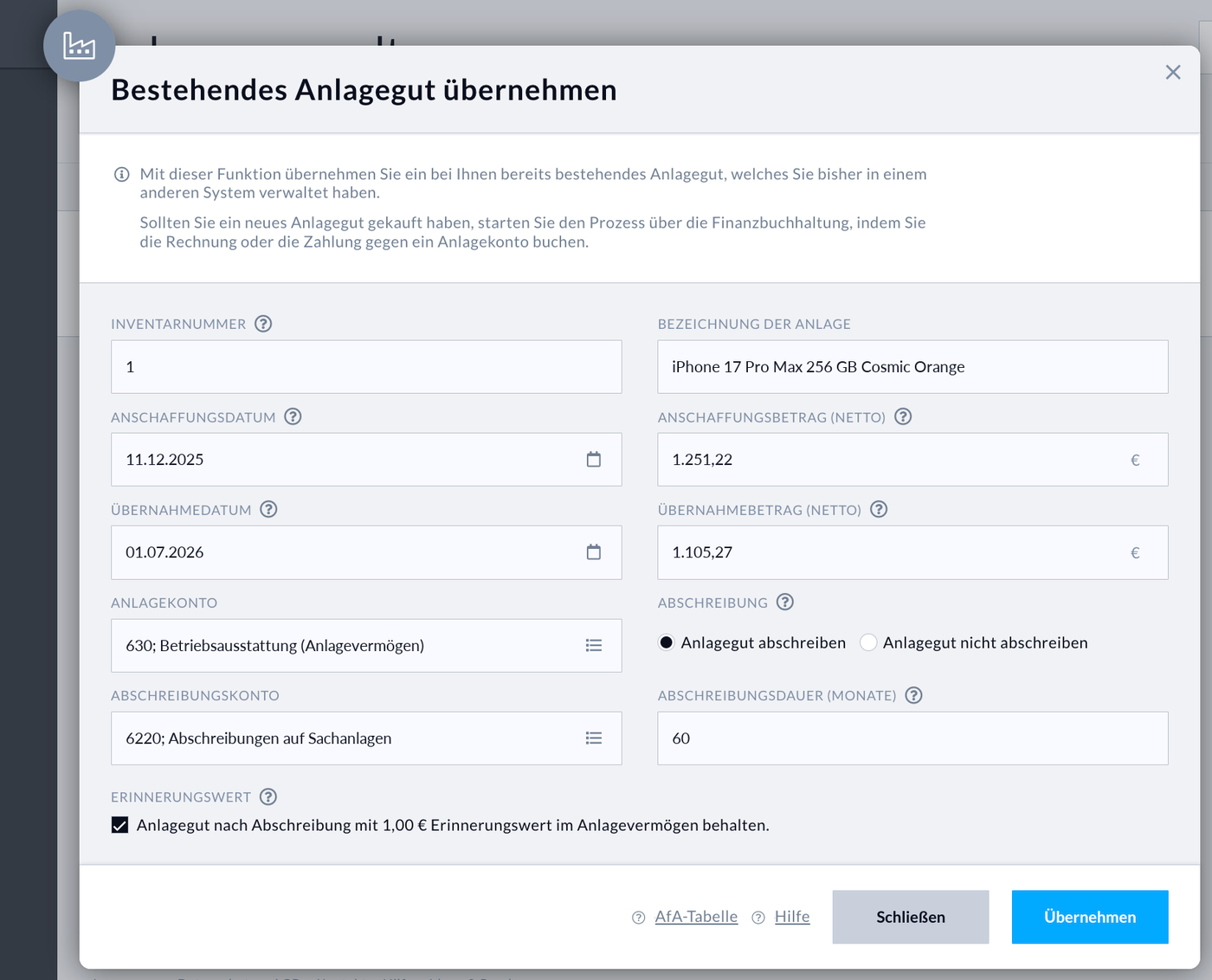
Load your asset list (Inventarübersicht) from DATEV and choose the month you're switching. For each asset you get the values for the BuchhaltungsButler form “Bestehendes Anlagegut übernehmen” (carry over an existing fixed asset).


Runs entirely in your browser. Your file isn't uploaded. More about this
Financial year doesn't match the calendar year?
Column mapping
How the values get into BuchhaltungsButler
- In BuchhaltungsButler, open the fixed asset management and choose “Bestehendes Anlagegut übernehmen”. There's no import for fixed assets there.
- Copy the values from the table above field by field. The columns are in the same order as in the form.
- Check the first asset against DATEV, then do the rest.
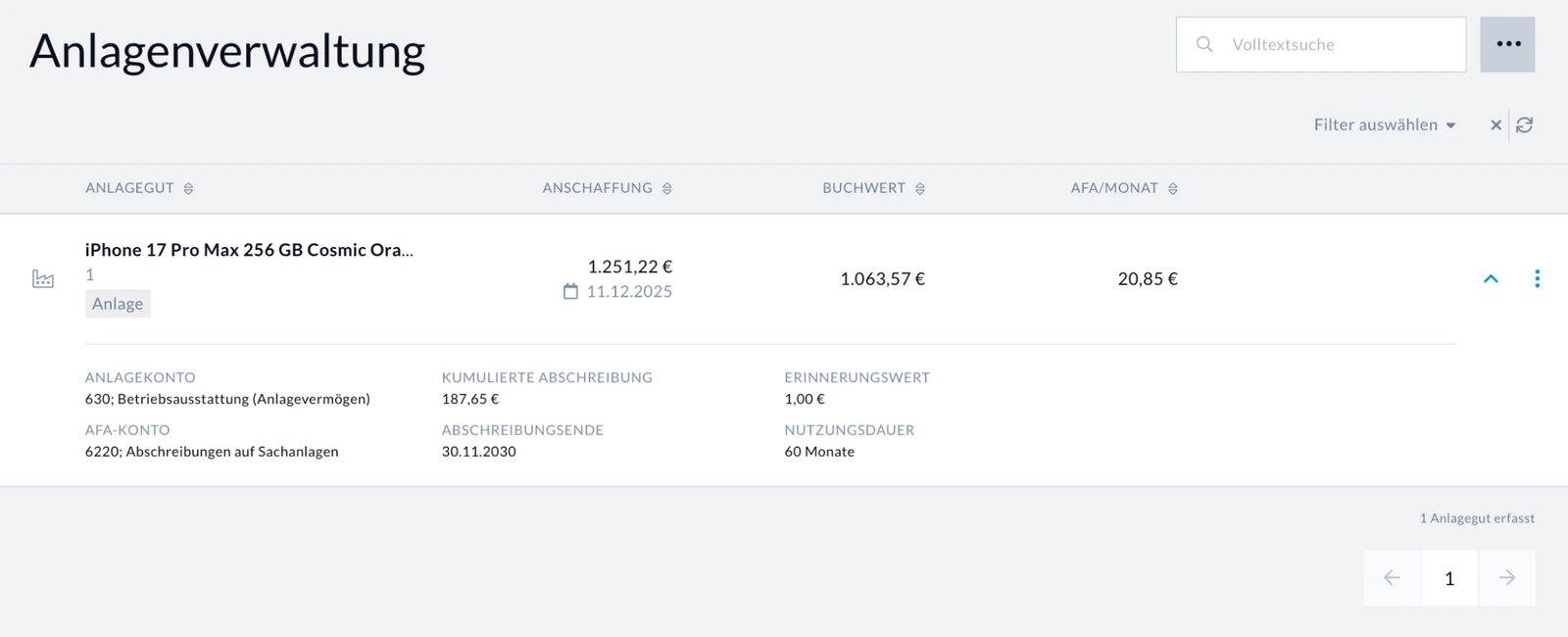
After that, the asset is in BuchhaltungsButler's fixed asset management and in the balance sheet. From then on BuchhaltungsButler books the ongoing depreciation itself every month.
Questions and answers
Where do I get the file?
You need the asset list (Inventarübersicht) from DATEV's fixed asset accounting, with one row per asset. The asset history sheet (Anlagenspiegel) won't work, because it doesn't list individual assets. Usually your tax advisor creates the file. Send them this message. It's in German, because your tax advisor uses DATEV in German.
Betreff: Inventarübersicht aus DATEV als Excel-Datei

Hallo,

für die Übernahme unserer Anlagen in BuchhaltungsButler benötige ich die Inventarübersicht aus der DATEV-Anlagenbuchführung als Excel-Datei, Wirtschaftsjahr [Jahr].

Weg in DATEV: Bestand öffnen, Inventarübersicht öffnen, rechte Maustaste, „Liste öffnen mit Excel“.

Benötigte Spalten: Konto, Inventar, Inventarbezeichnung, AHK-Datum, AHK Wj-Beginn, AHK Wj-Ende, Buchw. Wj-Beginn, Buchw. Wj-Ende, ND, AfA-Art, Abgang. Fehlende Spalten lassen sich über „Einstellungen Liste“ im Kontextmenü einblenden.

Nicht gemeint ist der Anlagenspiegel, der enthält keine einzelnen Anlagen.

Vielen Dank und viele GrüßeIn English: a request for the DATEV asset list as an Excel file for the financial year, with the path in DATEV and the columns the tool needs.
The asset list has to belong to the financial year in which you switch.
How is it calculated?
Carry-over amount = book value at start of financial year − monthly rate × months elapsed
The rate only comes from the values DATEV shows, so DATEV's annual rounding is already included.
A common mistake is to always divide the annual depreciation by twelve. If the useful life ends in the current year, the carry-over amount comes out too high. Example: a photocopier whose useful life ends in November, carried over on 1 July.
- 1,649.00 ÷ 12 × 6 deducted
- 825.48
- 1,649.00 ÷ 11 × 6 deducted
- 750.54
Assets bought in the current financial year don't have a book value at the start of the year yet. For those, the acquisition cost is divided by the useful life from the month of purchase.
Which assets aren't carried over?
- Assets with a book value of 0 and assets whose useful life ends before the carry-over month. BuchhaltungsButler doesn't need an asset just to show a memo value.
- Disposals.
- Assets bought from the carry-over month on. You book those in BuchhaltungsButler as usual, through the invoice.
- Collective items (Sammelposten), declining-balance depreciation and low-value assets with a remaining book value end up under “Check”. The tool doesn't calculate these. You or your tax advisor need to check them.
All of these assets are still listed in the second table, each with the reason.
Is my file stored anywhere?
No. The file is only read and calculated in your browser. It doesn't go to AntiBooks or anyone else, and nothing is stored. Everything on the page comes from antibooks.de, there are no cookies and nothing tracks what you load. That's why no data processing agreement is needed.
Try it yourself: load the page, disconnect from the internet, load your file. It still works.
Our privacy policy applies to visiting this website. The tool doesn't replace tax advice.

Switching to BuchhaltungsButler?
The fixed assets are only one part. I can help with the whole switch, including the setup, automating receipts and bank transactions, and working with your tax advisor. I'm an official BuchhaltungsButler partner.
Consulting on the switch can be funded by BAFA. How the funding works